Wintertime Magic V1 Digital Backgrounds for Photographers
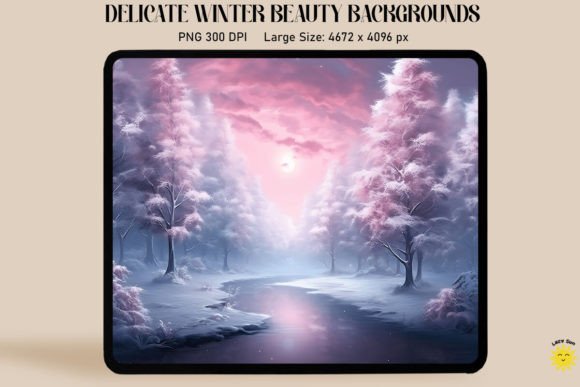
There is a specific kind of stillness found in the depth of winter—frost clinging to pine needles, the soft glow of twilight on fresh snow, and the warm flicker of a distant hearth. Capturing this atmosphere in a studio setting usually requires a massive budget, a storage unit full of props, and hours of set-up time. However, modern composite photography offers a shortcut that doesn't compromise on quality. The Wintertime Magic V1 Digital Backgrounds collection is designed to bridge the gap between a controlled studio environment and the breathtaking beauty of a winter landscape. By utilizing high-resolution digital assets, photographers can instantly transport their subjects into a magical, snowy setting without ever leaving the studio.
The Versatility of Digital Backdrops
At its core, this collection provides three high-quality digital backdrops that function as the foundation for photo manipulation and composite work. These are not just flat images; they are carefully crafted environments designed to accept your subject matter seamlessly. The appeal lies in the efficiency. Instead of building a physical set with fake snow and branches, you are working with design assets that save physical storage space and eliminate the recurring costs of physical props. For a professional photographer, this means faster turnaround times and higher profit margins. For a hobbyist or content creator, it means achieving a professional look using standard photo editing software.
The practical application of the Wintertime Magic V1 Digital Backgrounds is straightforward because of their technical specifications. Sized at 8" x 10" (3000 × 2400 px) and rendered at a crisp 300dpi, these JPEG files offer the resolution necessary for both web display and high-quality print production. Whether you are using Adobe Photoshop, Photoshop Elements, Paint Shop Pro, or even mobile apps like PicMonkey, the workflow remains consistent. You simply place your image on a new layer above the backdrop. This layer-based workflow is the industry standard for composite photography, allowing for precise masking, color grading, and blending.
Strategic Composition and Lighting
While the software handles the technical merging of images, the success of the final product depends on the photographer's eye for composition. A digital backdrop cannot do all the work; it requires a subject that fits the narrative. Before you even open your editing program, you should plan your compositions. If the backdrop features a low-hanging winter sun, your studio lighting needs to mimic that directionality. If the background suggests a soft, overcast day, harsh studio flash will look unnatural.
This is where the "magic" of the Wintertime Magic V1 Digital Backgrounds truly comes alive. You must consider the interaction between the subject and the environment. For example, if you are photographing a child or a pet, ensuring their shadow falls correctly on the "snow" creates depth and realism. It is also helpful to bring a few physical elements into the studio—perhaps a knitted scarf or a branch with artificial snow—to create foreground interest that overlaps with the subject and the background. This technique, known as "grounding," prevents the subject from looking like they are floating in space and integrates them into the winter scene.
Applications for Branding and Marketing
Beyond traditional family portraits, these digital backdrops hold significant value for small business owners, marketers, and content creators. In the crowded digital landscape, visual consistency is key to brand identity. If you run a lifestyle blog, an e-commerce store selling winter apparel, or a social media agency, seasonal imagery is vital. However, organizing seasonal photoshoots is logistically difficult. By using Wintertime Magic V1 Digital Backgrounds, you can create a cohesive visual campaign for the holiday season or winter months with minimal effort.
Imagine a small business owner selling handmade candles. Instead of waiting for a snow day to photograph their products, they can shoot the candle in the studio and composite it into a cozy, winter-themed background. This allows for:
- Consistent Branding: Maintaining a specific color palette and mood across all marketing channels.
- Cost Efficiency: Eliminating the need to hire a location or buy perishable props for every new product.
- Rapid Content Creation: Generating multiple social media graphics from a single studio session by swapping out the background layers.
For entrepreneurs and publishers, this flexibility is a game-changer. It allows you to react to market trends and seasonal demands without the overhead of a full production crew.
Technical Workflow and Best Practices
To get the most out of these assets, it is helpful to understand a few nuances of composite photography. While the backdrops are high-resolution, the final output depends on the quality of the subject image. Ensure your source photos are well-exposed and shot against a relatively neutral background (green or blue screens work well, but a plain white wall can also suffice with careful masking).
When working in programs like Adobe Photoshop or Lightroom (with the ON1 plugin), pay attention to color grading. The Wintertime Magic V1 Digital Backgrounds have their own specific color temperature—likely cool blues, crisp whites, and perhaps the warm amber of winter lights. Your subject needs to match this temperature. If your subject was shot under warm tungsten studio lights, you will need to apply color correction layers to cool them down so they don't clash with the winter environment.
Furthermore, consider the edge work. When masking hair or fur, a hard edge will break the illusion of realism. Using the "Select and Mask" tools in Photoshop to soften the edges or add a slight feather helps the subject blend into the atmospheric depth of the backdrop. Finally, adding a unifying adjustment layer—such as a subtle noise grain or a color wash—over the entire composite image will help "marry" the different elements together, making the final photo look like it was captured in a single exposure.
Conclusion
The Wintertime Magic V1 Digital Backgrounds collection is more than just a set of images; it is a utility tool for the modern creative. It empowers photographers to expand their service offerings, enables marketers to create seasonal content on demand, and allows hobbyists to experiment with professional-grade photo manipulation. By combining these high-quality backdrops with thoughtful lighting and composition, you can unlock a world of creative possibilities that are both cost-effective and visually stunning.